
The whole season.
One app.
Schedules, game recaps, coach evaluations and at-home workouts. Every PSB family gets it free.
On iPhone? Open app.proskillsbasketball.com in Safari and sign in today. Same app, same account.
51
43
Level up!
Jordan hit level 7.
Tap the phone.
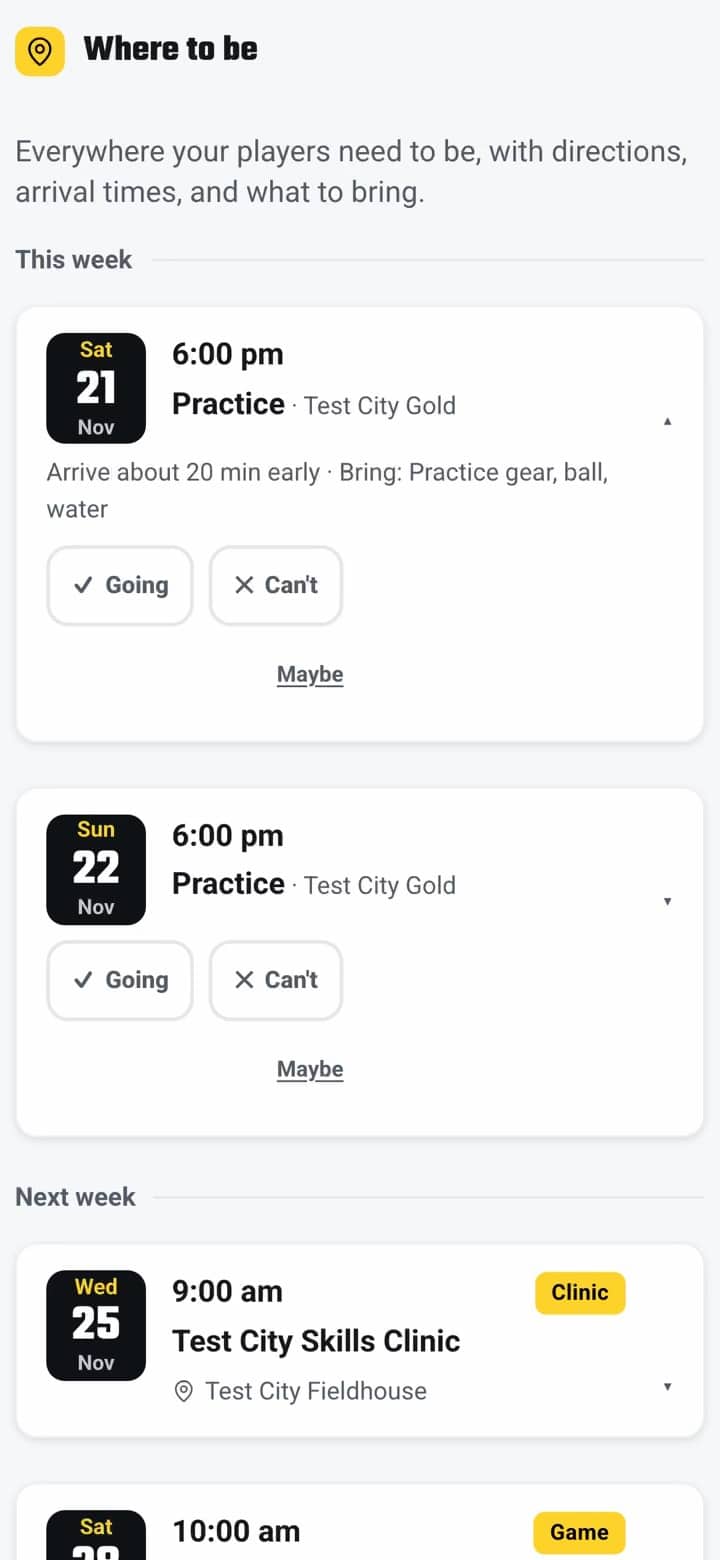
- Tap Going on Saturday’s practice.
- Open Player and check off all 4 drills.
- Tap Crushed it and level up.
- Open Recaps and share the win.
47 unread texts.
Or one app.
Built for the parent in your house.
Know where to be, see how your player is growing, and stop digging through texts and emails.
From Monday’s drill
to Saturday’s recap.
A new four-drill workout drops, built from the coach’s evaluation. Finish it and earn XP toward the next level.
Tap Going for Saturday’s game. Check arrival time, what to bring and the address in one place.
Find a ride on the team carpool board, or offer one. Only families on your team see it.
Game day. After the game, the coach’s recap and box score show up in the app, and season stats update.
Your player’s info
stays in the family.
Evaluations are private
Coach evaluations and notes are for your family. They never show on a public page.
Team-only carpool
Carpool posts go only to families on the same team. You choose what to share, and you can remove a post any time.
A parent says yes first
A Player Profile goes public only when a parent turns it on. It never shows birthdate, school or payments, and you can turn it off at any time.
Share your link.
Both families win.
Every account has its own invite link. Send it to a family that is new to PSB. When they finish their first membership, the credit lands in your account.
for you
family you invite
Asked and answered.
Still stuck? Open the app and tap Ask PSB. It answers from your real schedule, any time of day.
How much does the PSB app cost?
Nothing. The PSB app is free for every PSB family. There is no subscription and no fee to use it.
How do I sign in?
Use the email you gave PSB when you signed up your player. You can also sign in with Google or Apple. If you are not sure which email you used, email admin@proskillsbasketball.com and we will find it.
I have an iPhone. Where do I get it?
The iPhone app is coming soon to the App Store. Until then, open app.proskillsbasketball.com in Safari and sign in. It is the same app with the same account.
Tip: tap Share, then Add to Home Screen, and it sits on your phone like any other app.
I have more than one player. Do I need two accounts?
No. One family account holds all your players. Pick a player from the list to see their screens.
Does my player get their own login?
Players use Player mode inside the family account. Hand them the phone and they see their level, XP, badges, workouts and challenges. No extra password to remember.
What is a coach evaluation?
Coaches rate each player in five areas: athleticism, character, defense, basketball IQ and offense. You see where your player is growing and what to work on next. The weekly at-home workouts are built from it.
Do we need a hoop for the workouts?
No. Each workout is about 20 minutes. If there is no hoop this week, tap one button and the app swaps in drills you can do in a driveway or living room.
Will I still get schedule changes by email?
Yes. Important updates still come by email. The app also sends alerts to your phone, so you see a time change the moment it happens.
Who can see the carpool board?
Only families on your team. You choose your general area and whether to share a phone number. Remove your post any time.
What if someone posts something they should not?
Every message has a Report button and a Block button. Reports go straight to the PSB office.
Get in the game.
Download the PSB app, sign in with your PSB email, and your season is waiting.